
In List View
- Go to Dispatch and open a list view.
- Click Columns at the top right.
- In Manage Columns, find PO Number and BOL Number (use the search box if needed). Click the eye icon to show them, then click Save.
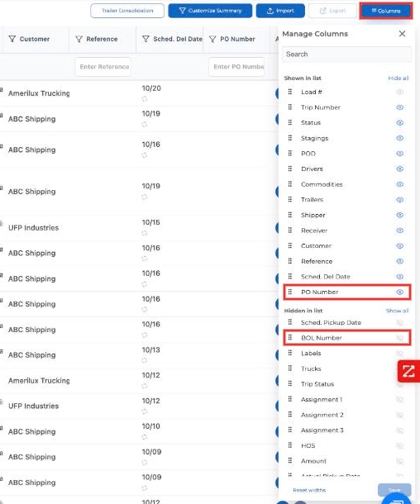
The columns now show in your list wherever the load has a PO or BOL number.
In Spreadsheet View
- Go to Dispatch and open a spreadsheet view.
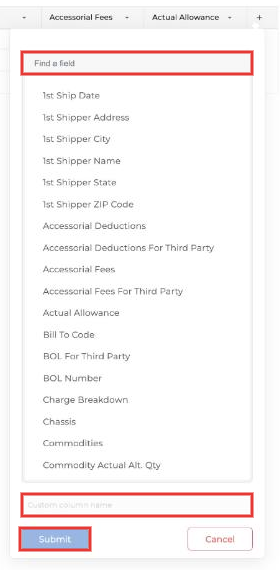
- Click the + at the end of the column headers.
- Search for PO Number or BOL Number, select it and click Submit.
Questions? Email help@truckpedia.io.