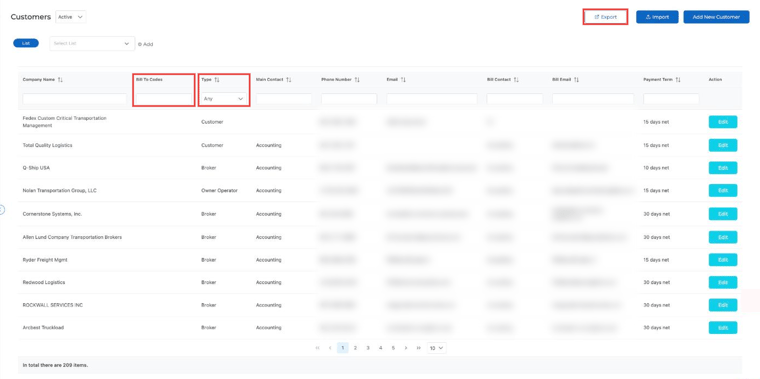
Each customer profile has a Bill To Code field, so billing and dispatch can see where invoices should go without digging through tabs.
Where to find it:
- Go to Customers and click Edit on the customer.
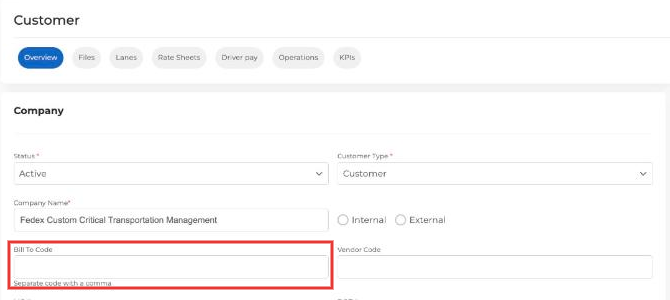
- On the Overview tab, enter the code in Bill To Code. Separate multiple codes with a comma.
- Save the customer.
The codes also show in the Bill To Codes column of your customer list, where you can search by them.