
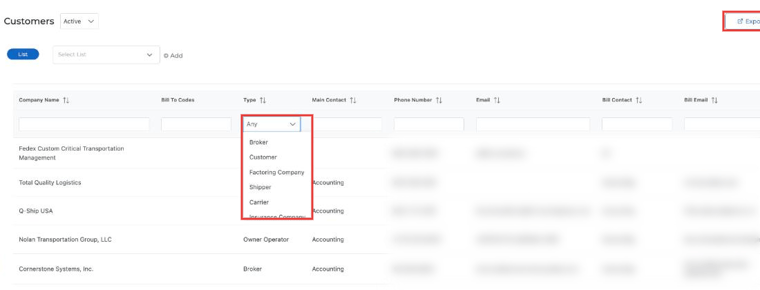
To filter:
- Go to Customers.
- In the Type column, click the filter dropdown (defaults to "Any").
- Select the type you want (for example Broker, Customer, Factoring Company, Shipper, Carrier, Insurance Company or Owner Operator).
You can also export the customer list using the Export button.
For questions, reach us at help@truckpedia.io.