
Step 1: Open Your Load
Create your load as usual, then open it in Dispatch.
Step 2: Click “Action”
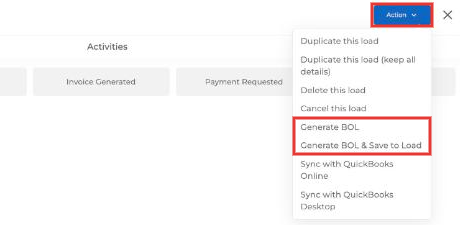
Click Action in the top right and choose:
- Generate BOL: creates the BOL so you can view, print or download it.
- Generate BOL & Save to Load: creates the BOL and saves it in the load’s Documents tab.
💡 Tip: See which loads have documents
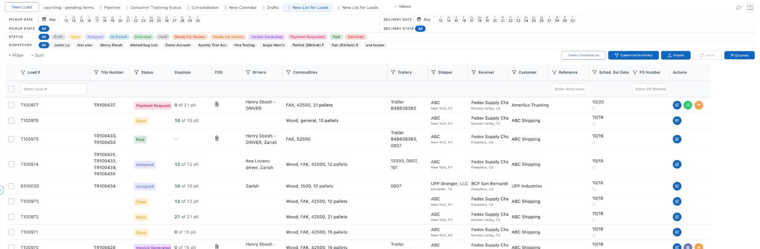
In the Dispatch list view, the POD column shows a paperclip icon when a document is attached. Click the paperclip to open it without opening the load. Use Columns to show or hide columns like POD, BOL Number and PO Number.
For any further assistance, contact our support team at help@truckpedia.io.