
Lead Finder helps you find new customers by searching a database of over 2 million logistics contacts, including warehouses, direct shippers, manufacturers and other decision-makers.
1. Open Lead Finder
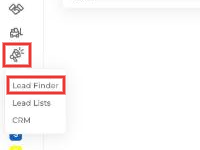
In the left menu, hover over the Lead Center icon and click Lead Finder. Lead Center also has Lead Lists and CRM.
2. Search for contacts
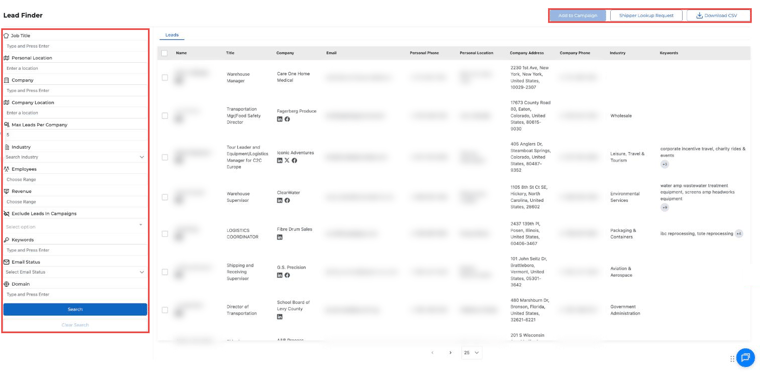
Use the filters on the left to narrow your search, then click Search. You can filter by:
- Job title
- Personal location or company location (for example, Phoenix, AZ)
- Company or domain
- Industry (for example, Building Materials)
- Number of employees and revenue
- Keywords
- Email status
- Max leads per company
- Leads already in your campaigns (to leave them out)
Click Clear Search to start over.
3. Review the results
Each lead shows the person's name, title, company, email, phone, location, company address and phone, industry and keywords. The keywords help you understand what the business does. Click Download CSV to export your results.
4. Add contacts to a campaign
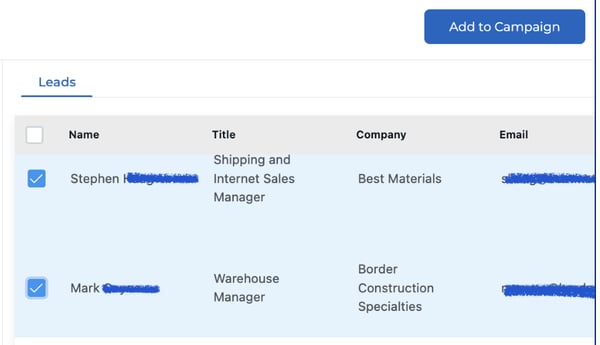
- Check the contacts you want.
- Click Add to Campaign at the top right.
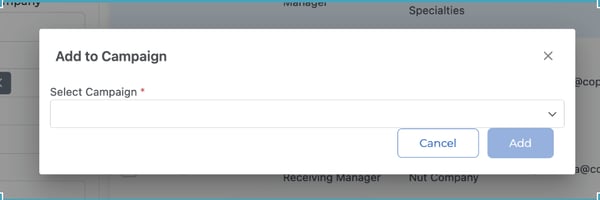
- Choose an active or draft campaign and click Add.
Questions? Email help@truckpedia.io.