
You can upload release forms right into a load's Documents, so they stay organized with the load they belong to. This helps when a shipper or receiver needs formal release paperwork.
How to upload a release form
- Go to Dispatch and open the load.
- Click the Documents tab.
- Click Upload and choose Release Form, then pick the file.
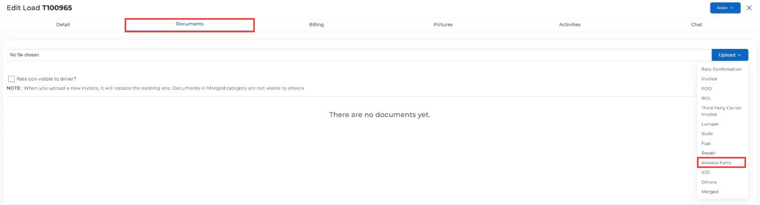
The release form is saved with the load's other documents, like the rate confirmation, BOL and POD.
Questions? Email help@truckpedia.io.