
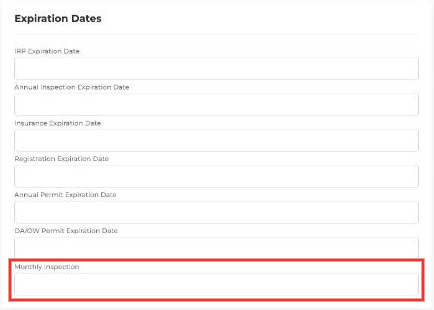
Each truck and trailer profile has a Monthly Inspection date field, so you can track inspections in one place without spreadsheets or manual reminders.
The field also works with expiration reminders, so you can get notified before an inspection is overdue.
Where to find it
- Go to Assets → Trucks (or Trailers).
- Open the truck or trailer.
- In the Expiration Dates section, enter the date in Monthly Inspection and click Update.
To get notified before inspections expire, set up an Expiration Reminder automation. Here's how.