
Step 1: Request RTS Login Credentials
Before you start, contact RTS Financial and ask for your integration credentials:
- Client ID
- Username
- Password
Step 2: Connect RTS in Truckpedia
- Click the gear icon at the bottom left, select Integration under Company, and open the Factoring tab.
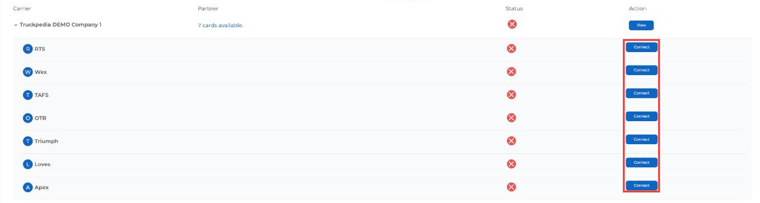
- Expand your company row and click Connect next to RTS.
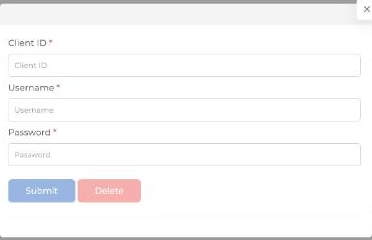
- Enter your Client ID, Username and Password, then click Submit.
Step 3: Create the factoring company profile
Go to Settings → Factoring Company, click + Create a Factoring Company, fill in RTS’s details and choose RTS as the Integration Partner. See How to Set Up and Process Factoring for details.
What Happens After You Enter Your Credentials?
Let our team know once you’ve entered your credentials and we’ll verify that the integration is working. If there are any issues, reach out to help@truckpedia.io.